Automated quality control
Catch invoice mismatches before they become financial problems.
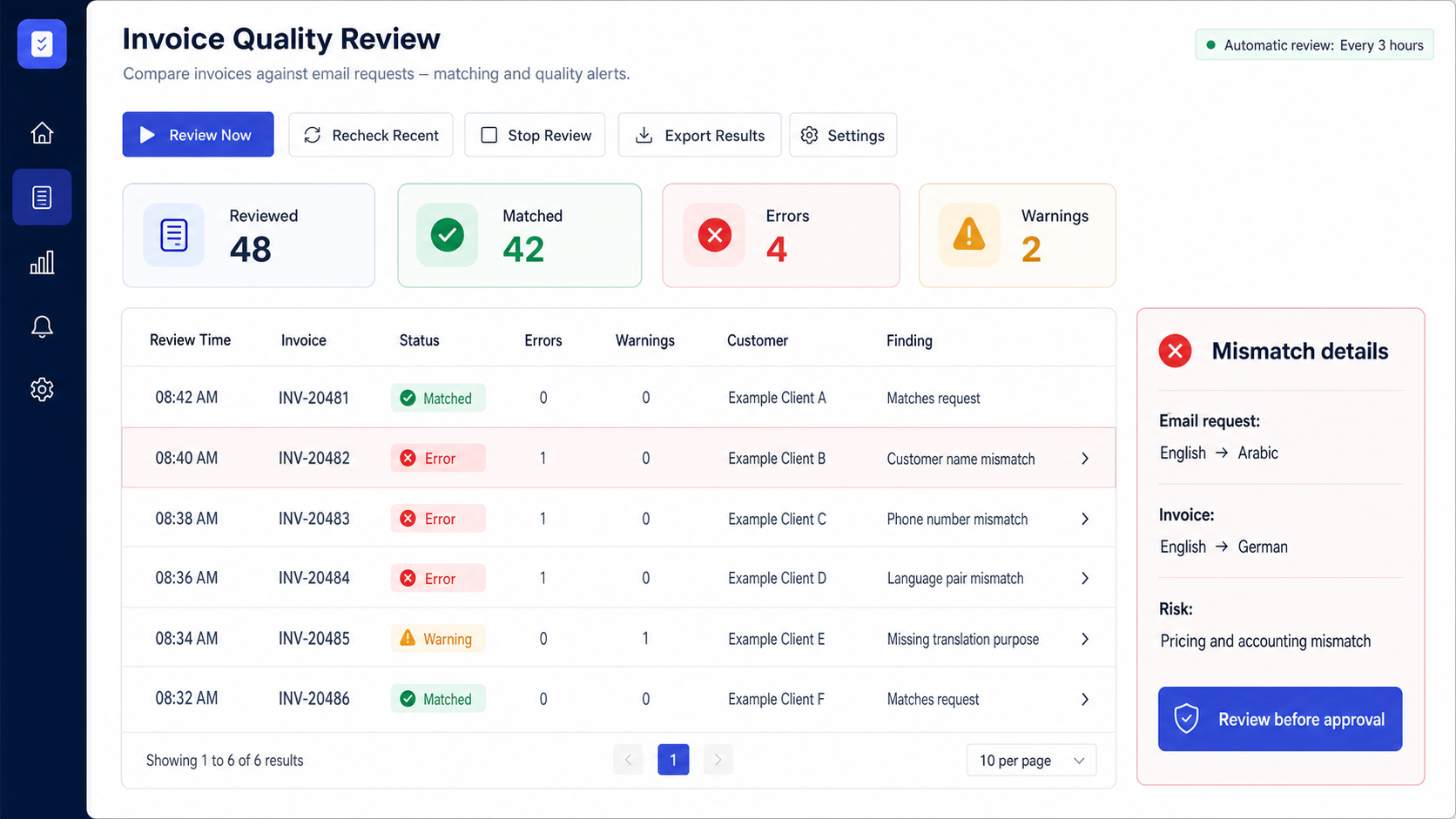
An automated quality-control workflow that compares invoice data with the original email request and explains every difference.
Example workflow results
The system
Public demo · anonymized dataOpen full resolution ↗
The manual process
Invoice checking depended on careful manual comparison.
A reviewer had to move between the original email and invoice while checking names, contact data, language pairs, purpose, and other job details.
1Open email
2Open invoice
3Compare fields
4Explain mismatch
The automated workflow
Let the system find the difference first.
Records are classified, the mismatched field is highlighted, and both values are shown for a focused human decision.
1Collect records
2Match fields
3Flag differences
4Review action
Inside the system
Built for the real process, including the exceptions.
Field comparison
Customer and translation-job information checked against the source request.
Clear classification
Matched, warning, and error states make attention easy to prioritize.
Scheduled review
Automatic checks can follow the company's own operating schedule.
What changed
A clearer operational path.
Manual cross-checking across email threads and accounting records.
A focused review queue showing exactly what differs and why it matters.
Built for real work. Shown with fictional data.
Client identity, filenames, rates, contacts, invoice references, and operational details are withheld or replaced in this public demonstration.
Your workflow could be next
Does your team repeat this process every day?
Show me the files, handoffs, and rules. I will help you find the right automation point.
Discuss your workflow ↗